
Model provider reference
Complete configuration reference for connecting OpenAI, Anthropic, Gemini, Bedrock, Vertex AI, Azure, Codex, ChatGPT, and custom gateways in Service.
Use this reference for provider-specific setup after choosing your model workflow.
Model providers
- Open Models → Add model. An empty workspace opens the connection form directly. If providers already exist, select one or choose Connect a new provider.
- Choose the provider type and enter its connection details, placing API keys in the dedicated credential fields.
- Save the provider, then continue to Add a model. To manage the account later, open Workspace settings → Providers.
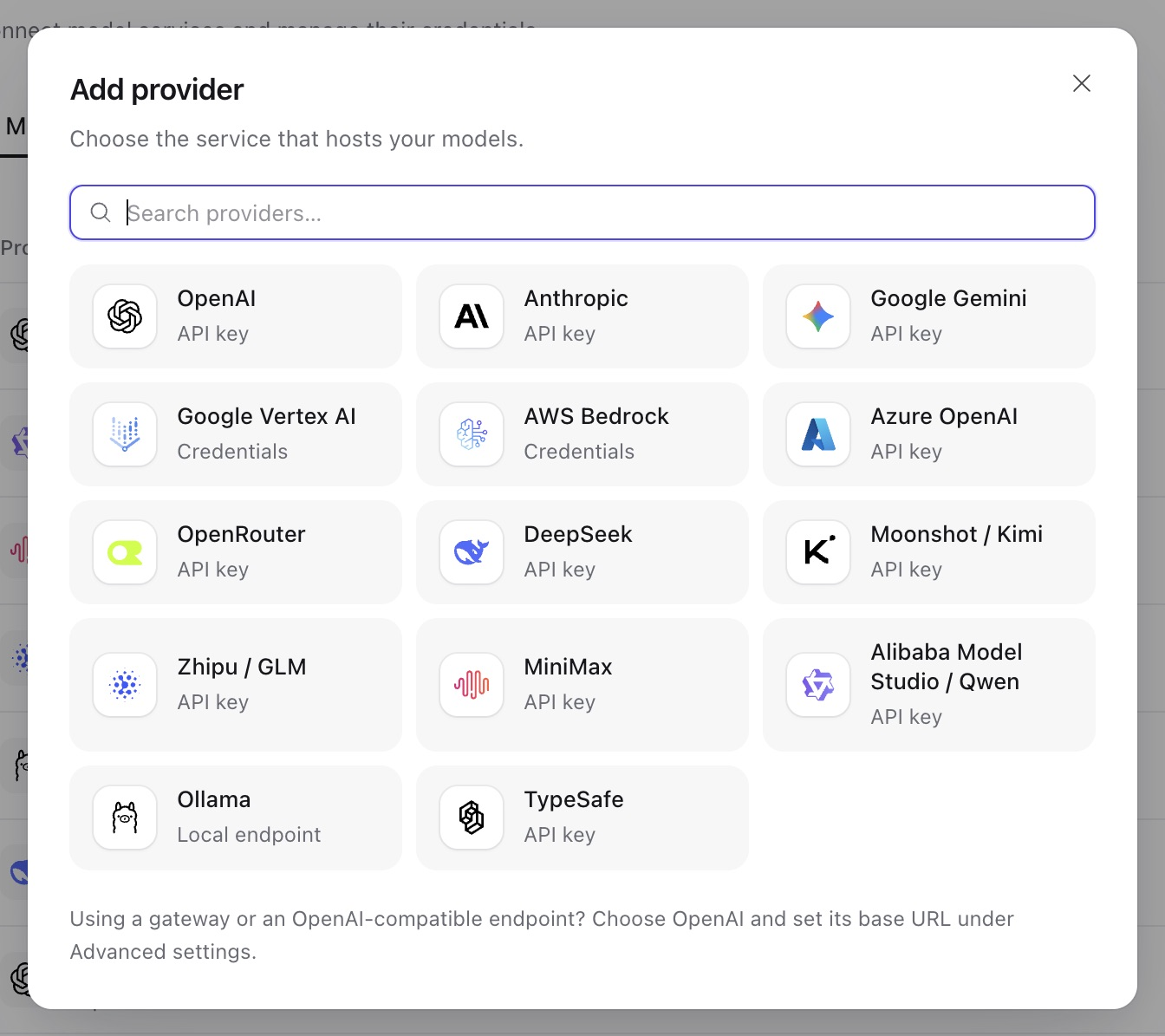
The provider type determines which calling APIs a model may use. The first API in each row is the default:
| Provider type | Model APIs |
|---|---|
openai, azure_openai | openai.responses, openai.chat_completions |
anthropic | anthropic.messages |
google_gemini, google_vertex | google.generate_content |
aws_bedrock | bedrock.converse, bedrock_mantle.responses, bedrock_mantle.chat_completions |
openrouter | openrouter.chat_completions |
fireworks, together, cerebras, sambanova, vercel, xai | openai.chat_completions |
ollama | ollama.chat_completions |
alibaba_model_studio, deepseek, moonshot, minimax, zhipu | openai.chat_completions |
cloudflare_ai_gateway | openai.chat_completions |
typesafe | typesafe.system_one |
openai_chatgpt | openai.responses; authorize as described below |
API clients create accounts at /api/v1/model-providers. Read GET /api/v1/provider-types/model for the deployment's configuration, credential, and request-setting schemas. Most API-key types accept credential: {"api_key": "..."} and an optional config.base_url. Provider operations covers saving, testing, and rotating credentials.
For these Chat Completions providers, keep the full upstream model ID and use the default endpoint unless your account needs an override:
| Provider type | Default endpoint | Catalog channel |
|---|---|---|
fireworks | https://api.fireworks.ai/inference/v1 | fireworks-ai |
together | https://api.together.xyz/v1 | togetherai |
cerebras | https://api.cerebras.ai/v1 | cerebras |
sambanova | https://api.sambanova.ai/v1 | sambanova |
vercel | https://ai-gateway.vercel.sh/v1 | vercel |
xai | https://api.x.ai/v1 | xai, x-ai |
For example, Fireworks uses IDs such as accounts/fireworks/models/llama-v3p3-70b-instruct, Together uses meta-llama/Llama-3.3-70B-Instruct-Turbo, and Vercel uses gateway IDs such as anthropic/claude-sonnet-4.6. Choose an ID available to your account. These integrations use HTTP Chat Completions, without Responses API or xAI native server-side search tools. All except Vercel offer a connection-only test; Vercel's public model list cannot validate credentials, so verify access with a model request.
For Google Vertex AI, match the credential to your access method:
- API key: use this for an API-key gateway or Vertex Express Mode. Leave Project ID and Location empty. For a gateway, set Base URL to its origin without
/v1beta1or a model path. The SDK sendsx-goog-api-keyto/v1beta1/publishers/google/models/.... - Service account: enter the flat service-account credential object and the required Project ID and Location. Switching credential types clears the previous form draft.
For Cloudflare AI Gateway, set account_id to the 32-character Cloudflare account ID and save its API token as api_key. The token needs Account → Workers AI → Read permission. Configure default-alias BYOK credentials or unified billing in Cloudflare. Set gateway_id to choose a gateway, or omit it for the default gateway's third-party models. Use full IDs such as openai/gpt-5.4 or anthropic/claude-sonnet-4.6; both use openai.chat_completions. A custom base_url replaces the account-derived endpoint and must end in /ai, without /v1, a method path, query, or fragment. Test with a model request: this integration has no connection-only probe, native server tools, or separate Workers AI catalog. See Cloudflare's unified REST API.
For a gateway that routes or bills by header, add up to 32 extra request headers to the provider. Values are encrypted; reads expose only header_names. In a provider PATCH, a value sets that name, null removes it, and omission keeps it. Transport, authentication, and protocol header names are reserved. Use these encrypted headers for secrets; request-level headers are readable configuration.
ChatGPT subscription provider
Use openai_chatgpt to authorize workspace-wide ChatGPT plan usage stored on the provider resource.
- In Workspace settings → Providers, add a ChatGPT provider. The default flow dynamically registers a public OAuth client and needs no static credential.
- Choose Continue with ChatGPT and open the authorization link. Grant ChatGPT plan usage consent during sign-in so the connection can invoke models.
- Copy the entire callback URL from the browser address bar into Complete callback URL, then choose Complete sign-in. Copy it even if the loopback page cannot be reached. Keep the URL private.
- Add a model using
openai.responsesand an account model slug. Select an account-visible choice or enter an ID manually, then send a test message through an agent.
The Service can run remotely: it validates and exchanges the pasted callback without fetching that URL or requiring the browser to reach the server's loopback listener. Invalid callback input can be corrected and retried. Once code exchange starts, a failed sign-in needs a new authorization attempt.
For an API integration, use these operations in order:
| Task | Request under /api/v1/model-providers/{id} | What to retain or inspect |
|---|---|---|
| Start sign-in | POST /authorize with {} | Open authorization_url; retain attempt_id |
| Finish sign-in | POST /authorization/callback with attempt_id and the full callback_url | Authorization state |
| Check status | GET /authorization | Credential-free state and account metadata |
| List account models | GET /models | Account-visible slug and display_name (inference access depends on plan entitlement) |
| Disconnect | DELETE /authorization | Local tokens are cleared; manage remote access in ChatGPT settings |
Returning login reuses registration metadata. Use another ChatGPT account, or POST /authorize with {"new_registration": true}, omits retained account hints. It creates a new dynamic registration when no client is configured and retains an explicitly configured client. Codex credentials cannot replace this authorization.
This provider has a fixed endpoint and stores tokens and pending authorization in encrypted provider-owned state. Its requests always use store: false and streaming; a non-streaming caller receives the collected stream. Temperature, Top P, and output-token limits are omitted. Other settings and tools follow the official ChatGPT profile, so API-key model behavior does not carry over automatically.
Self-hosted callback
Use a public client with http://127.0.0.1:<port>/auth/callback. The provider editor's OAuth client ID and loopback callback configuration override deployment defaults; blank fields inherit them. Save changes before restarting sign-in.
export A13N_PROVIDERS__CHATGPT_REDIRECT_URI="http://127.0.0.1:1456/auth/callback"
# Optional: reuse an issued public-client registration.
export A13N_PROVIDERS__CHATGPT_CLIENT_ID="issued-public-client"
If upgrading from a confidential client or hosted HTTPS callback, clear the old credential, configure a public loopback flow, and authorize again. Client secrets and the former hosted callback route are unsupported. Existing public-client tokens remain readable; restart pending sign-ins after an upgrade. Changing client ID avoids another client's retained account hints.
The official provider handles expiry and 401 refresh. Service saves complete replacement credentials and rejects stale saves after disconnect or replacement. Multiple Workers can still race to spend a refresh token: monitor refresh failures under concurrent subscription use and reauthorize when needed. An active provider can retain cached tokens after local disconnect. Inference, refresh, and discovery use Service's model transport limits; authorization-code exchange uses the official fixed-endpoint client. Model authentication explains the shared integration.